
With UpViral you can automatically send out communication emails to participants for:
Right after registration
Upon a successful referral signup
Possible fraud detected
Reward unlocks
Grand prize win
Note: As UpViral does not operate like an autoresponder, it's not possible to create and mass send an emails from UpViral. These would now have to be done on your own autoresponder. Communication emails are emails that are automatically sent (not manually sent) when a lead does an action such as signing up to your campaign or successfully referring a friend.
To setup these emails on your UpViral campaign, go to your campaign and click the Emails menu:
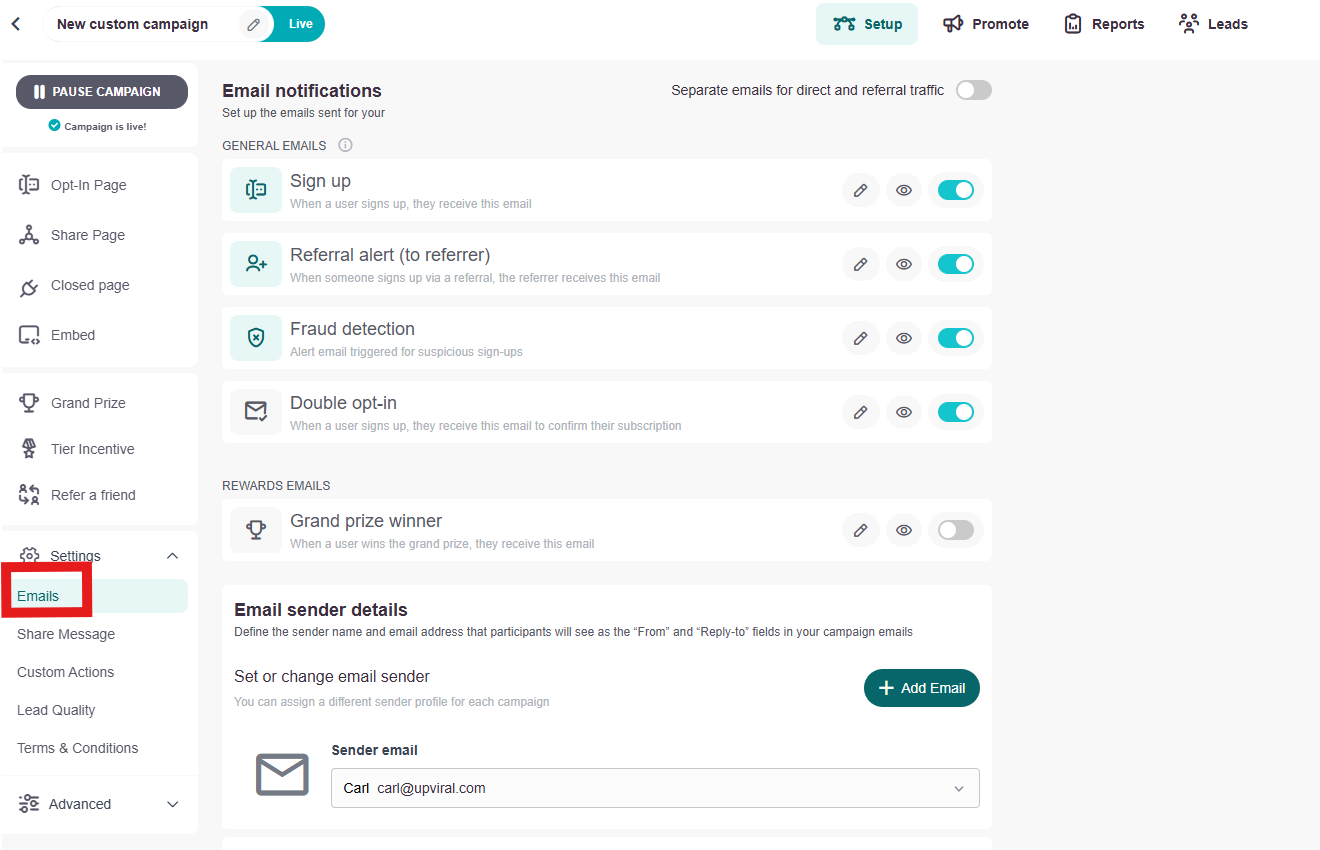
When inside the menu, UpViral enables in configuring these different types of communication emails. You can toggle the radio button:This enables/disables the email.

You can click the pencil icon:

This allows you to edit the email itself.
A - Sign up
This email will be sent as soon as someone signs up for the contest or giveaway.
B - Referral alert (to referrer)
This email can be sent whenever a person signs up through a participant's referral link. You can also limit the number of emails that will be sent.
C - Fraud detection
This email when configured will automatically be sent to suspicious participants (frauds detected based on IP address e.g. when multiple emails signup on the same IP address)
D - Grand Prize Winner
This is for giveaway campaigns that usually have a series of rewards, which are unlocked for achieving defined points and when a campaign has a grand prize to be won. You can manually enable or disable these.
How to get your support tickets resolved faster
Statistics have shown us that the more you tell us when you report an issue, the faster we solve that ticket. So...
1 - If you have screengrabs, please include them. A picture is worth a thousand words.
2 - If you have recorded a video showing the issue you're having, please include that as well. A video is worth a million words.
We recommend a free service called Loom for creating these videos. (this is a link to https://www.useloom.com/)
3 - To speed up ticket resolution, follow these useful tips How to Write the Perfect Support Ticket (That Gets Results Fast)